
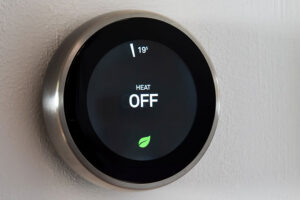
A handful of quick checks solve most thermostat problems before they turn into a service call. Start with power, placement, and Wi-Fi connection, since these cause the majority of the thermostat issues we see in Hoffman Estates homes. If a fix requires opening up wiring or adjusting internal settings, that is the point to bring in a licensed technician rather than guess. This guide walks through what you can check yourself and when it is time to call in a professional.
What Are the Most Common Thermostat Problems in Hoffman Estates Homes?
Most thermostat complaints in Hoffman Estates, IL, trace back to a handful of causes: inaccurate readings, unresponsive controls, wiring trouble, or a blank display. That holds true whether your home is one of the older properties near Poplar Creek or a newer build along the I-90 corridor.
Incorrect temperature readings are the most common issue. Your thermostat might show a comfortable number while the house still feels cold, often because dust and debris have built up inside the unit and thrown off the sensor.
A thermostat that will not respond to adjustments is another frequent complaint. You raise the temperature and nothing happens, which usually points to a power issue rather than a failing furnace.
Wiring problems show up less often but matter more. Loose connections at the thermostat base can prevent the system from receiving your commands at all.
A blank display almost always signals a power interruption, whether that is a dead battery, a tripped breaker, or a blown fuse. Understanding which of these problems you are dealing with is the first step, and knowing the difference between a thermostat issue and a bigger system issue can save you an unnecessary service call. If your furnace has been running constantly but the house still will not warm up, the thermostat may be masking a common furnace repair need rather than causing the problem itself.
What Should You Do When Your Thermostat Stops Responding?
A non-responsive thermostat is usually a power or connection issue, not a sign your whole system is failing. Start with the basics before assuming the worst.
Check the power supply first. Confirm the thermostat is securely connected, and check that the relevant circuit breaker or fuse has not tripped. If your unit runs on batteries, fresh batteries resolve a surprising number of these calls on their own.
If your thermostat has a reset button, pressing it can clear minor glitches without any further troubleshooting needed.
Location matters more than most homeowners realize. A thermostat mounted near a heat source, a sunny window, or a drafty doorway will read inaccurately no matter how new it is.
Wiring is where we would ask you to stop and call a professional instead of continuing on your own. Loose or damaged wiring behind the thermostat can look like a simple fix, but working inside a low-voltage control system without the right training risks bigger problems than the one you started with. Many of these calls also turn out to be a symptom of an aging unit. If your thermostat is more than eight to ten years old and still struggles to keep up, upgrading to a smart thermostat often solves the responsiveness problem for good while adding better scheduling and efficiency.
Why Won’t Your Wi-Fi Thermostat Connect?
Most Wi-Fi thermostat problems come down to the router or the app, not the thermostat hardware itself. A quick restart of your router resolves this more often than you would expect.
If a restart does not help, check that the thermostat is within range of your Wi-Fi signal. Thermostats mounted on interior walls far from the router are especially prone to dropped connections.
The app on your phone is the next place to look. Logging out and back in clears up many connectivity hiccups. If the app still will not cooperate, updating or reinstalling it usually finishes the job.
Outdated firmware on the thermostat itself can also cause glitches that mimic a Wi-Fi problem. Checking for available updates takes a few minutes and rules out one more variable. Good airflow throughout the house also supports steady performance, since a system fighting stale or poorly circulated air puts more strain on every component, including the thermostat. If your Wi-Fi thermostat still will not hold a connection after these steps, the issue is likely internal to the unit, and that is a job for a technician rather than another round of app troubleshooting.
How Can You Tell If Your Thermostat Is Reading Accurately?
The easiest way to check thermostat accuracy is to compare it against a separate thermometer placed nearby for a few hours. A reading that is off by more than two degrees usually means the thermostat needs calibration or replacement.
Placement affects accuracy the same way it affects responsiveness. Keep the thermostat away from drafts, direct sunlight, and heat-generating appliances so it reads the room’s actual temperature rather than a skewed pocket of air.
Most digital thermostats include a calibration setting, and the manufacturer’s instructions will walk you through adjusting it. If the discrepancy is small, this is a reasonable homeowner task. If it is large or the thermostat still drifts after calibrating, that points to a sensor problem rather than a settings issue.
- Check the placement: avoid drafts, direct sun, and nearby heat sources that can skew the reading
- Use a separate thermometer: place it next to the thermostat and compare after a few hours
- Adjust the calibration setting: follow the manufacturer’s instructions for small corrections, and call a professional for anything larger
Routine AC maintenance visits also help, since a technician checking your system’s sensors and airflow catches calibration drift before it becomes a comfort problem.
When Should You Call a Professional About Thermostat Issues?
Call a professional if problems continue after basic checks, or if you notice unusual noises, inconsistent temperatures, or frequent cycling. These symptoms often point to something beyond the thermostat itself.
Frequent cycling, where the system turns on and off more often than it should, can mean the thermostat is malfunctioning or that there is a deeper issue with the equipment it controls. If your home’s temperature swings even after the thermostat checks out fine, a professional AC repair visit can rule out a system-side cause.
Air quality is worth watching too. An uptick in dust or allergens around the house can indicate airflow or filtration problems that a thermostat reset will not fix.
Leith Heating and Cooling’s NATE-certified technicians handle thermostat and system diagnostics across Hoffman Estates and the wider Fox Valley. We show up with the training to tell the difference between a thermostat problem and a system problem, and we explain exactly what we find before any work begins.
Frequently Asked Questions
How do I know if it’s my thermostat or my HVAC system that’s the problem?
A thermostat problem usually shows up as a blank screen, unresponsive buttons, or a reading that does not match the room. A system problem usually shows up as weak airflow, unusual noises from the furnace or air handler, or a home that will not reach the set temperature no matter what the thermostat displays. When you are not sure which one you are dealing with, a technician can diagnose it in a single visit.
Why does my thermostat show the wrong temperature?
The most common causes are poor placement near a draft or heat source, dust buildup inside the unit, or a sensor that has drifted out of calibration. Comparing the reading against a separate thermometer for a few hours will tell you quickly whether the gap is significant. A difference of more than two degrees is usually worth having checked.
How often should I replace thermostat batteries?
Most battery-operated thermostats need fresh batteries about once a year, though homes with older units may need them more often. Replacing batteries on a set schedule, rather than waiting for a blank screen, prevents the inconvenience of losing your programmed settings. A dead battery is also one of the quickest fixes on this list, so it is worth ruling out first.
Is a smart thermostat worth it for a Hoffman Estates home?
For many Hoffman Estates homeowners, yes, especially in older homes near Poplar Creek that tend to run drafty or newer builds along the I-90 corridor built for efficiency. Smart thermostats self-adjust for schedule and occupancy, which reduces the manual troubleshooting older units require. They also tend to hold a Wi-Fi connection more reliably than older Wi-Fi-enabled models.
Keeping Your Hoffman Estates Home Comfortable Year-Round
Simple checks handle a lot of thermostat hiccups, from a dead battery to a dropped Wi-Fi connection. When the fix goes beyond the basics, or your home’s comfort still is not right after trying these steps, Leith Heating and Cooling is ready to help. Our veteran-owned, family-operated team has served Hoffman Estates and the surrounding Fox Valley for years, bringing the same NATE and EPA-certified expertise to every call, backed by upfront pricing and a 100% satisfaction guarantee. When you are ready for a second opinion, schedule your appointment today, and we will help you get your home’s comfort back on track.